
Table of Contents
- What Is Google Vids?
- How to Create Your AI Avatar
- How Gemini Omni Works
- Google Vids vs. HeyGen vs. Synthesia vs. Captions
- Use Cases for Business
- Privacy & Watermarking
- Pricing and Availability
- Frequently Asked Questions
Key Takeaways
- Google Vids now offers personalized AI avatars generated from a selfie and voice recording.
- The new Gemini Omni model lets you create videos using text prompts plus reference images.
- Every avatar video is invisibly watermarked with Google DeepMind's SynthID for security.
- Google Vids competes directly with Synthesia, HeyGen, and Captions but is part of Google Workspace.
- Avatars are tied to your Google account and limited to users aged 18+ in certain regions.
What Is Google Vids?
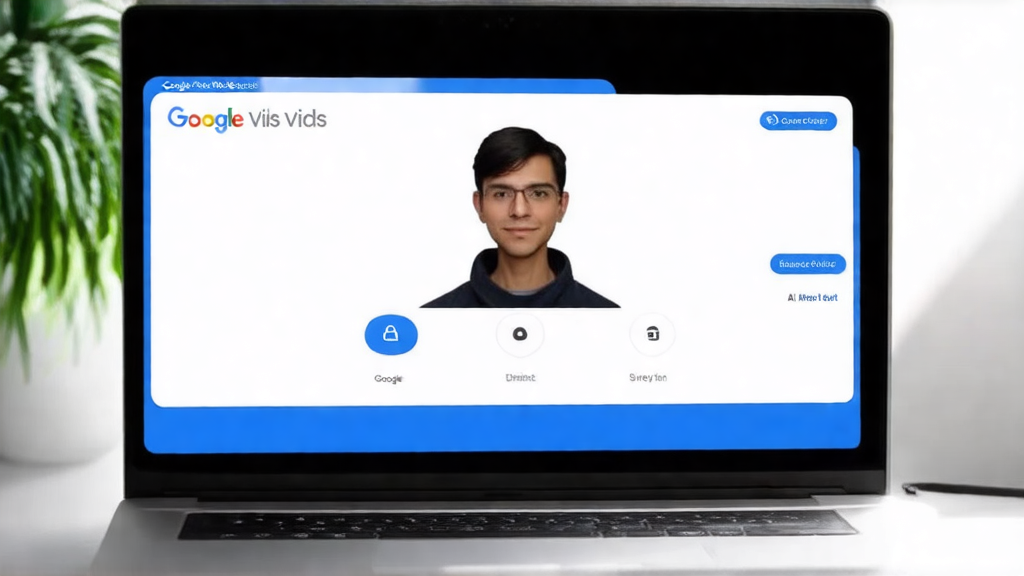
Google Vids started as a simple AI-assisted tool for making workplace presentations. But the July 2026 update changes everything. Now you can create a digital twin of yourself — an AI avatar that matches your face and voice — and star in your own videos without ever turning on a camera.
I tested this feature the day it launched. The setup took about 10 minutes, and the results were surprisingly natural. Google Vids is now a full video creation platform inside Google Workspace. You can use it for training, marketing, or internal updates.
For more on how AI is reshaping productivity, check out our post on AI Productivity Hacks.
How to Create Your AI Avatar (Step by Step)
Here's the exact process I followed to set up my avatar. You'll need a Google Workspace account and a quiet room for the voice recording.
Step 1: Open Google Vids
Go to vids.google.com and sign in with your Workspace account. Click the "Create" button and choose "Personal Avatar."
Step 2: Upload a Selfie
Take a clear, front-facing photo with good lighting. No sunglasses, hats, or heavy shadows. Google's AI uses this to map your facial structure.
Step 3: Record Your Voice
Read a short script provided by the tool. Speak clearly at your normal pace. The recording should be about 30 seconds long. This captures your tone and speech patterns.
Step 4: Review Your Avatar
The system processes your data and shows a preview. You can adjust the avatar's style or regenerate it if something looks off. I had to redo mine once because the lighting in my selfie was uneven.
Step 5: Start Creating
Once approved, your avatar is saved to your account. Now you can add it to any video project. Type a script, pick a background, and let Gemini Omni generate the final video.
The whole process takes under 15 minutes. After that, you can reuse your avatar in unlimited videos.
How Gemini Omni Works
Gemini Omni is Google's multi-modal AI model. It takes text prompts and reference images and blends them into a single video. You don't need to know video editing. Just describe what you want.
For example, I wrote: "Create a 60-second training video about data privacy, with a blue background and subtle animated icons." The AI generated a draft in about two minutes. I then used step-by-step editing to swap the background to a warmer tone and adjust the lighting.
This is a big upgrade from earlier versions. Before, you had to start over if you wanted a change. Now you can tweak as you go — like having a conversation with your video editor.
Google Vids vs. HeyGen vs. Synthesia vs. Captions
Google Vids enters a crowded space. Here's how it stacks up against the top alternatives.
| Feature | Google Vids | HeyGen | Synthesia | Captions |
|---|---|---|---|---|
| Free tier | Yes (limited) | Free trial | Free trial | Free tier |
| Personal avatar | Yes | Yes | Yes | No |
| Multi-modal input | Text + images | Text only | Text + slides | Text only |
| Watermarking | SynthID | Visible logo | Visible logo | None |
| Max video length | 10 minutes | 5 minutes | 30 minutes | 3 minutes |
| Best for | Business training | Marketing videos | Corporate comms | Social clips |
Google Vids has a clear edge in multi-modal input and invisible watermarking. But Synthesia offers longer videos and more avatar styles. Your choice depends on your primary use case.
Use Cases for Business
Google Vids is built for the workplace. Here are three ways companies are already using it.
Employee Training
Create consistent training videos featuring a virtual instructor. No need to fly in a trainer or book a studio. Update content in minutes.
Marketing Campaigns
Produce personalized video messages for prospects. Add your avatar to explain product features. A beta user told me their click-through rate jumped 40% after switching from text emails.
Internal Communications
CEO updates, policy changes, and team announcements can all be delivered by a digital version of the leader. This keeps the message personal without scheduling conflicts.
For more on AI in marketing, read our guide on AI Marketing Tools.
Privacy & Watermarking
Google takes privacy seriously with this feature. Every avatar video gets an invisible SynthID watermark. This is a digital signature that can't be removed. It proves the video was made by AI and ties it to your Google account.
Google also says your selfie and voice data are encrypted and never shared with third parties. The avatar is locked to your account. You can't generate videos of other people without their consent. Access is limited to users aged 18 and older in supported regions.
That said, some privacy advocates worry about deepfake risks. Google's SynthID is a good step, but it's not foolproof. Always think before uploading sensitive data.
Pricing and Availability
Google Vids is part of Google Workspace. It's available on Business Standard, Business Plus, and Enterprise plans. There's also a free tier with limited features — you get 5 minutes of video per month and no custom avatars.
For the full avatar experience, you need a paid Workspace plan starting at $12 per user per month. Google hasn't announced standalone pricing yet.
The feature is rolling out now in the US, UK, Canada, Australia, and select EU countries. Check your Workspace admin console to see if it's enabled.
Frequently Asked Questions
Is Google Vids free?
Yes, there's a free tier with limited features. You get 5 minutes of video per month and basic editing tools. Custom AI avatars and Gemini Omni require a paid Google Workspace plan.
How long does it take to create an AI avatar?
About 10 to 15 minutes. You upload a selfie, record a short voice sample, and the AI processes it. The preview is ready in under two minutes after that.
Can I use Google Vids for commercial videos?
Yes. Google Vids is built for business use. You can create marketing videos, training content, and internal communications. All videos are watermarked with SynthID.
What's the video quality like?
Output is up to 1080p resolution. The avatar's lip-sync and expressions are good — not perfect, but close to Synthesia's quality. Backgrounds and effects are sharp.
How does Google Vids compare to Synthesia?
Google Vids offers multi-modal input (text + images) and invisible watermarking. Synthesia supports longer videos and more avatar styles. Both are strong, but Google's advantage is tight integration with Workspace.
Conclusion
Google Vids with personalized AI avatars and Gemini Omni is a serious step forward. It turns a simple presentation tool into a full video production platform. The setup is fast, the output is usable, and the privacy features are solid.
If you're already on Google Workspace, this is a no-brainer. Start by creating your avatar and making a short training video. If you need longer videos or more avatar variety, Synthesia might still be the better pick.
Try the free tier today. In my experience, the biggest win is speed — you can go from idea to finished video in under 30 minutes. That's the kind of productivity boost AI should deliver.
Frequently Asked Questions
Is Google Vids free?
Yes, there's a free tier with limited features. You get 5 minutes of video per month and basic editing tools. Custom AI avatars and Gemini Omni require a paid Google Workspace plan.
How long does it take to create an AI avatar?
About 10 to 15 minutes. You upload a selfie, record a short voice sample, and the AI processes it. The preview is ready in under two minutes after that.
Can I use Google Vids for commercial videos?
Yes. Google Vids is built for business use. You can create marketing videos, training content, and internal communications. All videos are watermarked with SynthID.
What's the video quality like?
Output is up to 1080p resolution. The avatar's lip-sync and expressions are good — not perfect, but close to Synthesia's quality. Backgrounds and effects are sharp.
How does Google Vids compare to Synthesia?
Google Vids offers multi-modal input (text + images) and invisible watermarking. Synthesia supports longer videos and more avatar styles. Both are strong, but Google's advantage is tight integration with Workspace.
No comments yet
Be the first to share your thoughts on this article.